MobiOffice: Word, Sheets, PDFandroid
MobiSystems · Productivity

Описание

Rated for 3+С рекламойСайт разработчика
Mobile office documents — Word docs, Excel sheets, PowerPoint slides, PDF editor
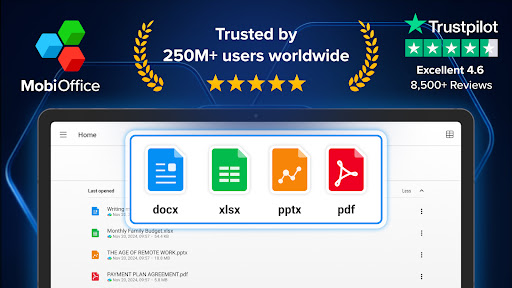
MobiOffice is the smart choice for office productivity. With this powerful office pack, you can create, edit, comment, format, convert, and protect documents, spreadsheets and presentations - as well as the ability to view and sign PDF files. Compatible with Microsoft Office (Word, Excel, PowerPoint), Google Docs, Google Sheets, Google Slides, OpenOffice, LibreOffice, WPS Office, Polaris Office, Adobe PDF, and more. Everything you need to get your work done Work on-the-go and take your productivity to the next level with our mobile office app. Easily link your Google Drive, OneDrive for Business, Box, or Dropbox accounts to access your projects from any device, anywhere, anytime. Collaborate seamlessly with your team and stay efficient, even when you're away from your desk. Features include: • Powerful applications packed with helpful tools to handle any task with any file format – Microsoft Office365 docs, Google docs, OpenOffice, and more. • All the advanced features you need – format painter, track changes, conditional formatting, formulas, presentation mode, and much more. • Export Documents, Sheets, and presentations Slides to PDF with our PDF converter. • Advanced security options. • Save all your files on your Google Drive account, OneDrive for Business, Box, or Dropbox accounts. Advanced PDF management • PDF docs reader. • PDF files editor. • PDF documents filler. • Work with fillable forms. • Digitally sign PDF documents. • Enhanced security and permissions management. • PDF converter to Word, Excel or ePub. Mobile office - Designed for work on the go • Integrated cloud storage for easy access to files – get 5GB free on our MobiDrive cloud or link your existing Google Drive, OneDrive for Business, Box, or Dropbox accounts. • Cross-platform capabilities linking your Windows PC with all your Android and iOS mobile devices with our office mobile pack. • Compatibility with popular file formats – Microsoft docs, Google docs, OpenOffice, Apple's iWork, and hundreds more. • Practical and a user-friendly interface optimized for the latest Android version. • PDF editor that you can use to create and fill PDF files, or as a PDF converter to office documents. Create and edit files and documents with ease Take your office with you wherever you go and stay productive on-the-go with our mobile document editor. Our app enables you to edit Word documents, Excel spreadsheets, and PowerPoint slides, and easily convert them to PDF files. No matter what type of document you need to work on, you can access it from anywhere and make changes whenever you need to. Give it a go and see for yourself Experience the complete set of features and tools available in MobiOffice with our free 7-day trial, giving you access to our advanced document editor, as well as all other premium features and tools. Our flexible pricing plans, which include monthly and annual options, allow you to choose the package that perfectly meets your needs. Whether you need a powerful documents editor, a spreadsheet app for budgeting, or a comprehensive suite of productivity tools, MobiOffice has got you covered. Mobile documents editor for Word docs, Excel Sheets & PowerPoint slides and PDF files at your fingertips. Link your mobile office to your Google Drive account or OneDrive for Business, Box, or Dropbox accounts to save all your files, compatible with many file formats including Google Docs, OpenOffice, Microsoft Office 365, and many more. Premium benefits include: • 5GB storage on MobiDrive • Unlimited usage of the PDF converter • Unlock 20+ advanced features • Use Premium on 2 mobile devices & 1 Windows PC. • No ads • Priority support

Скриншоты

Галерея магазина · 32
🇱🇷
#25
Liberia · grossing
Overall (all apps)
🇧🇿
#26
Belize · grossing
Overall (all apps)
🇧🇲
#42
Bermuda · grossing
Overall (all apps)
🇺🇬
#49
Uganda · grossing
Overall (all apps)
🇧🇫
#54
Burkina Faso · grossing
Overall (all apps)

Присутствие в магазинах

На 15 июл. 2026 г.устарело (63 дн.)
Рейтинг 4.54
Оценки 1 473 045
Цена Бесплатно
Версия 16.4.60095
Обновлено 12 июн. 2026 г.
Выпущено 21 дек. 2011 г.
Установки 100 000 000–224 428 480
Встроенные покупки Нет

Распределение оценок

Оценки в магазине · всего 1 473 043
51 109 267 (75%)
4209 572 (14%)
361 424 (4%)
219 535 (1%)
173 245 (5%)

Матрица позиций

Текущая позиция по стране и жанру с цветовой шкалой
1–3 4–10 11–50 51–100 100+
🇱🇷LR🇧🇿BZ🇧🇲BM🇺🇬UG🇧🇫BF🇲🇿MZ🇧🇯BJ🇱🇦LA🇦🇬AG🇬🇭GH🇵🇬PG🇧🇩BD🇨🇲CM🇧🇴BO🇧🇼BW🇧🇾BY🇨🇾CY🇧🇸BS🇺🇿UZ🇿🇼ZW🇦🇱AL🇧🇭BH🇮🇱IL🇻🇳VN🇵🇭PH🇰🇪KE🇿🇦ZA🇸🇷SR🇯🇲JM🇨🇳CN🇪🇬EG🇹🇹TT🇷🇸RS🇻🇬VG🇦🇿AZ🇹🇨TC🇧🇬BG🇸🇳SN🇮🇪IE🇳🇬NG🇱🇻LV🇸🇬SG🇦🇴AO🇻🇪VE🇦🇹AT🇯🇵JP🇱🇨LC🇨🇱CL
Overall (all apps)
25
26
4223
49
54
60
66
72
74
76
78
82
8832
96
10165
113
115
11770
118
119
126
12758
1307
130
1315
136
1362
137
141
1481
152
161
162
163
165
166
176
177
178
17830
179
185
191151
193
195
1955
197
200

Позиция во времени

Выберите чарт, жанр и рынки для сравнения

История версий

Версии в снимках, сначала новые
v16.4.6009512 июн. 2026 г.
• Tools: Your edit shortcuts - Convert, scan, sign, and edit your files — all from one place.<br>• Table of Contents in Docs - Now you can automatically generate a Table of Contents for your documents. Get a clear overview of all your sections.

Влияние обновлений

Релизы с датой · позиции и отзывы за 14 дней до → после

Тональность отзывов во времени

Доля позитивных, нейтральных и негативных отзывов по месяцам, неделям или версиям

Отзывы игроков

Свежие отзывы из магазина · метки по правилам
Отзывы для этого приложения пока недоступны.