AnyDesk Remote Desktopandroid
Remote access from anywhere. Fast and secure. All operating systems and devices
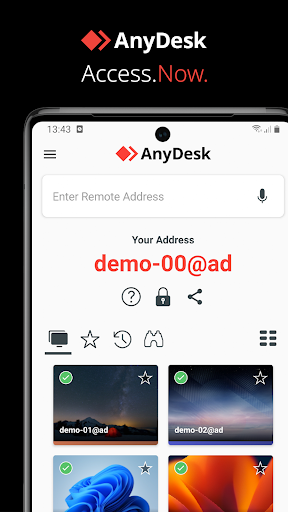
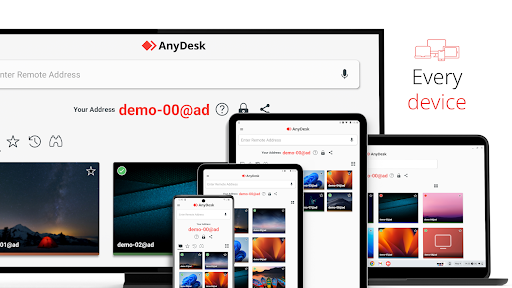
Powerful Remote Assistance Software. Whether you're in the office next door or on the other side of the world, remote access via AnyDesk makes the connection possible. Secure and reliable, for IT professionals as well as private users. AnyDesk is ad-free and free for personal use. For commercial use visit: https://anydesk.com/en/order Whether you're in IT support, working from home, or a student studying remotely, AnyDesk's remote desktop software has a solution for you, allowing you to connect to remote devices securely and seamlessly. AnyDesk offers a wide range of remote desktop functions such as: • File Transfer • Remote Printing • Wake-On-LAN • Connection via VPN and much more The AnyDesk VPN feature allows the creation of a private network between local connecting and remote clients, providing additional security to users. It is important to note that it is not possible to access devices on the remote client's local network or vice versa. Nevertheless, after successfully connected over VPN, the following programs can be used over VPN: • SSH – Ability to access the Remote Device over SSH • Gaming – Ability to access a LAN-Multiplayer Game over the Internet. For an overview of the features, visit: https://anydesk.com/en/features If you are interested in more information, head to our Help Center by visiting: https://support.anydesk.com/knowledge/features Why AnyDesk? • Outstanding performance • Every operating system, every device • Banking-standard encryption • High frame rates, low latency • In the Cloud or On-Premises Every operating system, every device. Download the latest AnyDesk version for all platforms here: https://anydesk.com/en/downloads Quick Start Guide 1. Install and launch AnyDesk on both devices. 2. Enter the AnyDesk-ID that is displayed on the remote device. 3. Confirm the access request on the remote device. 4. Done. You can now control the remote device remotely. To verify the integrity of your AnyDesk software visit https://help.anydesk.com/en/anydesk-validation Do you have any questions? Contact us! https://anydesk.com/en/contact

스크린샷

스토어 갤러리 · 13
🇬🇷
#177
Greece · free
Overall (all apps)

스토어 등록 현황

2026. 7. 18. 기준오래됨(61일)
평점 3.65
평가 수 132,470
가격
버전 8.4.0
업데이트 2026. 6. 25.
출시일 2017. 2. 6.
설치 수 100,000,000–103,014,380
인앱 구매 아니요

평점 분포

스토어 평점 분포 · 131,936개
576,683 (58%)
45,135 (4%)
36,552 (5%)
214,522 (11%)
129,044 (22%)

순위 그리드

국가 × 장르별 현재 순위를 색상 구간으로 표시
1–3 4–10 11–50 51–100 100+
🇬🇷GR
Overall (all apps)
177

순위 추이

비교할 차트, 장르, 시장 선택

버전 기록

수집된 버전을 최신순으로 표시
v8.4.02026. 6. 25.
New Features<br>* Added support for Android 17.<br>* Extended service API for profile management.<br>* Improved UX when requesting permissions.<br>* Improved privacy policy handling.<br><br>Fixed Bugs<br>* Fixed tutorial not showing the full text.<br>* Fixed a crash when custom tabs are not available.<br>* Fixed a bug that could cause a wrong speed dial item being deleted.<br>* Improved stability

업데이트 영향

날짜가 있는 릴리스 · 전후 14일 순위와 리뷰

리뷰 감성 추이

월·주·버전별 긍정·중립·부정 비율

플레이어 리뷰

최근 스토어 리뷰 · 규칙 기반 라벨
이 앱의 리뷰 데이터가 아직 없습니다.