
VizRef Liteios
Studio Pixanoh · Graphics & Design
概要
4+開発元サイト ↗スクリーンショット
ストアギャラリー · 4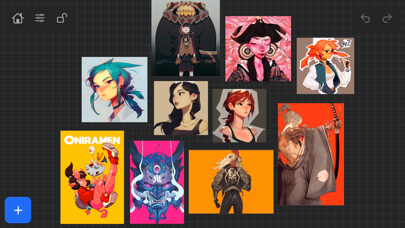
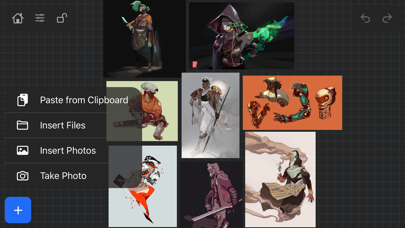
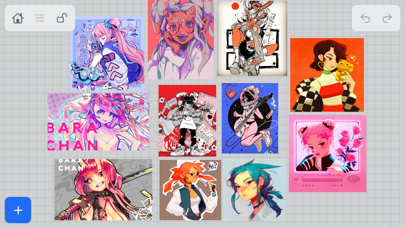
🇨🇲
#70
Overall (all apps)
🇰🇷
#83
Overall (all apps)
ストア掲載状況
2026/07/29時点古い(50日)評価 0.00
評価件数 0
価格 $1.99
バージョン 1.1.7
更新日 2021/06/08
公開日 2020/04/18
順位グリッド
国 × ジャンル別の現在順位を色帯で表示 1–3 4–10 11–50 51–100 100+
| 🇨🇲CM | 🇰🇷KR | |
|---|---|---|
| Overall (all apps) | 70▲1 | 83▲2 |
順位推移
比較するチャート、ジャンル、市場を選択バージョン履歴
取得時に観測したバージョンを新しい順に表示v1.1.72021/06/08
NEW FEATURES in 1.1.7
Exporting- Fixed some bugs related to exporting. Some of the UI was unresponsive when hitting export within the app. This was most likely due to some newer IOS versions that were later released. *** Please keep in mind that exporting/ importing directly into other apps such as Dropbox or even using Airdrop and Discord all work completely differently because of how those apps are created. We, unfortunately, can not improve much on batch exporting/ importing into these apps unless those developers improve how their apps deal with multiple images being imported or passing through them. For batch exporting images, I still recommend hooking up Dropbox/ Google Drive to the files app on your iPad and just batch exporting through the files app from Vizref.
Please also keep in mind that batch exporting hundreds of images at once will most likely crash Vizref. This is also out of our control. I recommend batch exporting about 50 images at once for the most stable and consistent experience. Vizref and other apps can't export hundreds of images at once because every app on the iPad is limited to how much Memory it can use during all operations. The app is crashing because of the hard limit set by Apple for each app.
Features
- Revert Button- Revert will undo any cropping or rotating you've done to the image. The main reason for adding the revert button was that some users were finding their images were oddly scaled/ stretched to the wrong ratio. Revert is a backup for returning your image to the correct ratio/ scaling - the revert button is located in the toolbox icon at the bottom right after selecting an image.
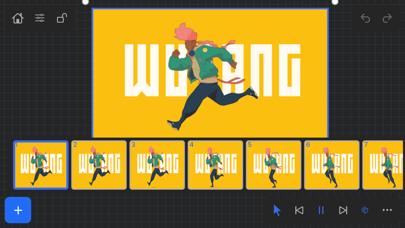
- Exporting gif files. Should work now give it a try!
*Bug Fixes*
-Fixed a bug that caused images from your board to not display if your board crashed on exporting. This bug should be completely gone. If it persists after updating your app please contact us at [email protected]
**If your images have disappeared from your board, please note that those images are still on you iPad and stored locally. You can retrieve them by going to the Files app then searching for your Vizref folder in " On My iPhone " or " On My iPad" file
Open "Private Documents" then you will see each .VRB file. These are your reference boards and store your images locally. You can then retrieve your images here.
Fixed some crash bugs.
Fixed several UI inconsistencies and bugs.
アップデートの影響
日付付きリリース · 前後14日の順位とレビューレビュー感情の推移
月・週・バージョン別の肯定・中立・否定の割合プレイヤーレビュー
最近のストアレビュー · ルールベースのラベルこのアプリのレビュー情報はまだありません。