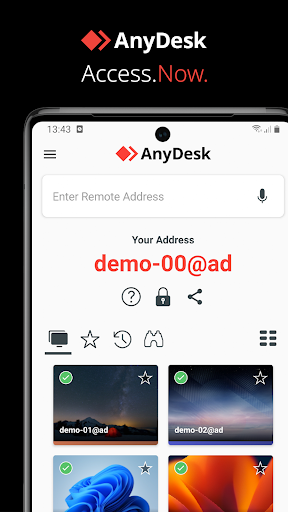
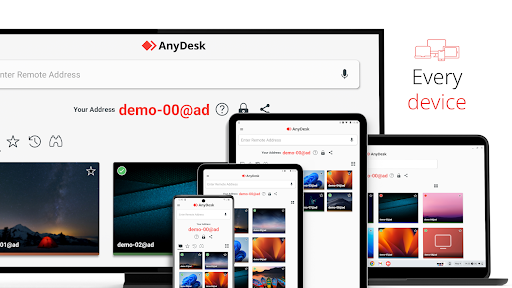
Remote access from anywhere. Fast and secure. All operating systems and devices
Powerful Remote Assistance Software. Whether you're in the office next door or on the other side of the world, remote access via AnyDesk makes the connection possible. Secure and reliable, for IT professionals as well as private users.
AnyDesk is ad-free and free for personal use. For commercial use visit: https://anydesk.com/en/order
Whether you're in IT support, working from home, or a student studying remotely, AnyDesk's remote desktop software has a solution for you, allowing you to connect to remote devices securely and seamlessly.
AnyDesk offers a wide range of remote desktop functions such as:
• File Transfer
• Remote Printing
• Wake-On-LAN
• Connection via VPN
and much more
The AnyDesk VPN feature allows the creation of a private network between local connecting and remote clients, providing additional security to users. It is important to note that it is not possible to access devices on the remote client's local network or vice versa. Nevertheless, after successfully connected over VPN, the following programs can be used over VPN:
• SSH – Ability to access the Remote Device over SSH
• Gaming – Ability to access a LAN-Multiplayer Game over the Internet.
For an overview of the features, visit: https://anydesk.com/en/features
If you are interested in more information, head to our Help Center by visiting: https://support.anydesk.com/knowledge/features
Why AnyDesk?
• Outstanding performance
• Every operating system, every device
• Banking-standard encryption
• High frame rates, low latency
• In the Cloud or On-Premises
Every operating system, every device. Download the latest AnyDesk version for all platforms here: https://anydesk.com/en/downloads
Quick Start Guide
1. Install and launch AnyDesk on both devices.
2. Enter the AnyDesk-ID that is displayed on the remote device.
3. Confirm the access request on the remote device.
4. Done. You can now control the remote device remotely.
To verify the integrity of your AnyDesk software visit https://help.anydesk.com/en/anydesk-validation
Do you have any questions? Contact us! https://anydesk.com/en/contact
Screenshots
Store gallery · 13
🇬🇷
#177
Greece · free
Overall (all apps)
Store presence
As of Jul 18, 2026stale (61d)
Rating3.65
Ratings132,470
Price—
Version8.4.0
UpdatedJun 25, 2026
ReleasedFeb 6, 2017
Installs100,000,000–103,014,380
In-app purchasesNo
Rating breakdown
Store rating histogram · 131,936 ratings
5★76,683 (58%)
4★5,135 (4%)
3★6,552 (5%)
2★14,522 (11%)
1★29,044 (22%)
Rank grid
Current rank by country × genre, shown as color bands
1–3 4–10 11–50 51–100 100+
🇬🇷GR
Overall (all apps)
177
Rank over time
Choose chart, genre, and markets to compare
Version history
Versions observed at capture, newest first
v8.4.0Jun 25, 2026
New Features<br>* Added support for Android 17.<br>* Extended service API for profile management.<br>* Improved UX when requesting permissions.<br>* Improved privacy policy handling.<br><br>Fixed Bugs<br>* Fixed tutorial not showing the full text.<br>* Fixed a crash when custom tabs are not available.<br>* Fixed a bug that could cause a wrong speed dial item being deleted.<br>* Improved stability
Update impact
Dated releases · rank and review signals, 14 days before → after
Review sentiment over time
Positive, neutral, and negative share by month, week, or version
Player reviews
Recent store reviews · rule-based labels
Review coverage is not available yet for this app.