Get your party started using your Nanoleaf devices. Watch your devices pulse and flash to your favorite songs.*
*Compatible with Nanoleaf Wall Lights and Nanoleaf Matter (Wi-Fi) Smart Devices
MODES
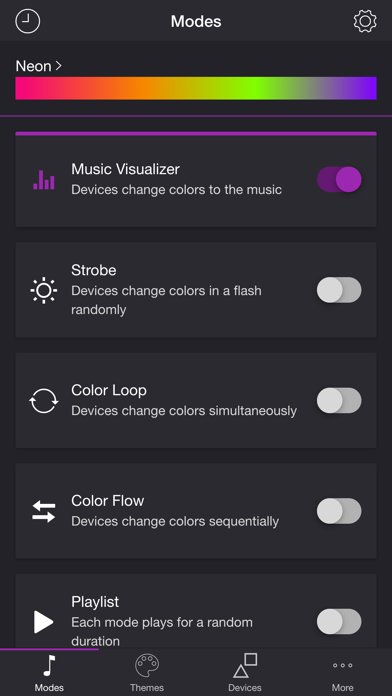
• Music Visualizer — Devices change colors to the music (Microphone access required)
• Strobe — Devices change colors in a flash randomly
• Color Loop — Devices change colors simultaneously
• Color Flow — Devices change colors sequentially
• Playlist — Each mode plays for a random duration
THEMES
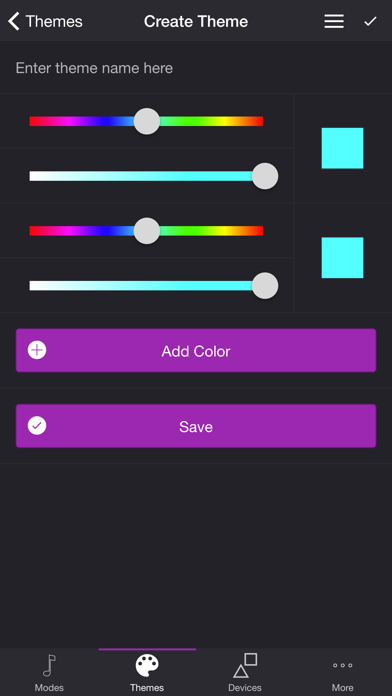
Choose from one of the predefined themes or create your own on the Themes tab. Each mode uses the colors in the selected theme. To edit a user theme in the list, swipe the item to the left and tap the pencil icon. You can reorder colors for the Color Loop mode.
SETTINGS
Music Visualizer
• Change volume trigger for light effects
• Change brightness of light effects
• Change state of devices when inactive
• Target number of lights for effects
• Change transition effects: Random, Pulse, Fade Quickly, Fade Slowly
• Change theme
• Toggle detect frequencies (Bass, Mid, Treble)
Bass, Mid, Treble (Music Visualizer)
• Toggle light effects
• Target number of lights for effects
• Change transition effects: Random, Pulse, Fade Quickly, Fade Slowly
• Change theme
• Change frequency range trigger
Strobe
• Change brightness of light effects
• Change theme
Color Loop, Color Flow
• Change brightness of light effects
• Change color or device sequence: In Order, Reverse Order, Random Order
• Change transition effects: Pulse, Fade Quickly, Fade Slowly
• Change transition timeout
• Change theme
Playlist
• Change sequence: In Order, Reverse Order, Random Order
• Change mode order
• Toggle modes
• Change duration range for each mode
General
• Select mode to automatically start when app opens
• Choose time to automatically stop selected mode
DEVICES
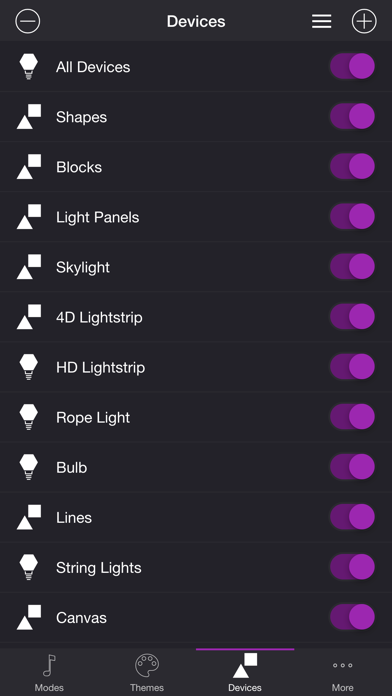
Add one or more of your Nanoleaf devices on the Devices tab. Toggle on the devices you want to use for your light show. To edit a device in the list, swipe the item to the left and tap the pencil icon. You can reorder lights for the Color Flow mode.
ADDITIONAL FEATURES
• Sleep Timer
I'd love to hear your thoughts and appreciate you taking the time to rate the app. By leaving a review, I can continue to improve Soundstorm for Nanoleaf and create a great experience for you and future users. Thank you! —Scott
Screenshots
Store gallery · 10
🇦🇺
#46
Australia · paid
Entertainment
🇨🇦
#70
Canada · paid
Entertainment
🇮🇶
#75
Iraq · paid
Entertainment
🇬🇧
#98
United Kingdom · paid
Entertainment
Store presence
As of Jul 29, 2026stale (50d)
Rating0.00
Ratings0
Price$2.99
Version4.1.2
UpdatedFeb 11, 2026
ReleasedApr 15, 2020
Rank grid
Current rank by country × genre, shown as color bands